Integrating Pro Santé Connect: OpenID Connect, e-CPS and the French health professional login
A practical guide to connecting software to Pro Santé Connect: Datapass and sandbox onboarding, the authorization code flow, scopes and claims, token lifetimes, logout, mTLS and the Espace de Confiance.
Ala Ben Aicha
Direct answer
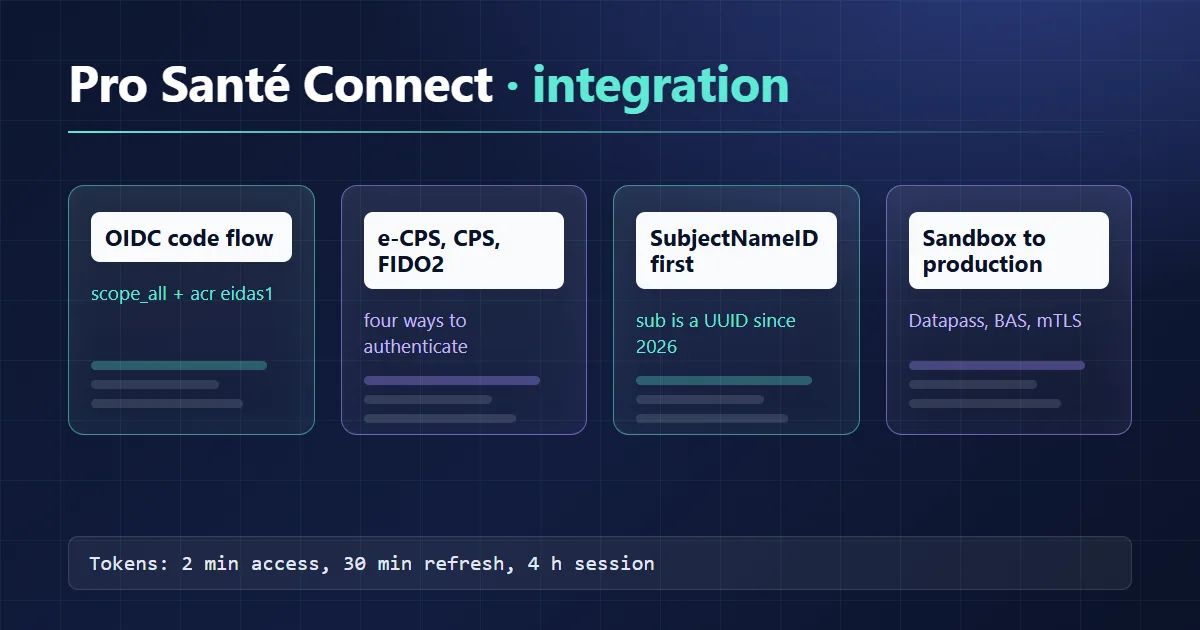
Pro Santé Connect (PSC) is the OpenID Connect identity provider run by France's digital health agency (ANS) for health, medico-social and social sector professionals. Your application is a confidential OIDC client: it redirects to the PSC login page (CPx smart card, e-CPS mobile app, FIDO2 key or delegated identity), exchanges the code server-side with scope=openid scope_all and acr_values=eidas1, then keys the user on SubjectNameID. Onboarding goes through a Datapass request, a mandatory sandbox phase (BAS), then a production request from the ANS industry portal.
Pro Santé Connect in two minutes
PSC is a free service built and run by ANS on top of Keycloak. According to the Pro Santé Connect product page, it has been mandatory since 1 January 2023 for digital health services classed as "sensitive" under the French health information security policy (PGSSI-S). Identities come from the Annuaire Santé, which is fed by the RPPS professional registry.
Four authentication means (MIE) currently appear on the login page and in the authMode claim:
| Authentication means | authMode value |
Note |
|---|---|---|
| e-CPS mobile app | MOBILE |
The only means that can reach the "Certified" level |
| CPS / CPx smart card | CARD |
PC/SC reader; on macOS, CPS-Gestion is needed outside Firefox |
| FIDO2 security key | WEBAUTHN |
Standard level |
| Delegation to a third-party IdP | IDENTITY_BROKER |
Partially open, separate onboarding track |
ANS explicitly advises against gating access on authMode: it tells you which means was used, not the assurance level.
Environments and endpoints
The PSC technical documentation lists two environments. The sandbox is for tests with fictitious identities; production still uses the historical esw domain.
| Endpoint | Sandbox (BAS) | Production |
|---|---|---|
| Discovery | https://auth.bas.psc.esante.gouv.fr/auth/realms/esante-wallet/.well-known/wallet-openid-configuration |
https://auth.esw.esante.gouv.fr/auth/realms/esante-wallet/.well-known/wallet-openid-configuration |
| Authorization | https://wallet.bas.psc.esante.gouv.fr/auth |
https://wallet.esw.esante.gouv.fr/auth |
| Token, UserInfo, Logout | under /auth/realms/esante-wallet/protocol/openid-connect/ |
same path on auth.esw.esante.gouv.fr |
First trap: the discovery document is named wallet-openid-configuration. A library that appends /.well-known/openid-configuration to the issuer still gets a valid Keycloak document, but its authorization_endpoint points at raw Keycloak instead of the wallet login page. Pass the full discovery URL.
The onboarding path
The standard path into the PSC community tier (Espace Communautaire) has these steps, with the average lead times ANS publishes:
- Create an account for your technical lead on iSC, the ANS identity provider for vendors (about 2 weeks).
- File a Datapass request for the Pro Santé Connect API, one request per connected service (about 2 weeks). Later forms ask for the request number, not the authorisation number.
- Activate the authenticated area of the industry portal and submit a sandbox creation request under "Mon raccordement à Pro Santé Connect".
- Get a test authentication means: a test CPx card through the F414 procedure if you have a reader, or a test identity generated in EDiT and used with the test e-CPS app.
- Test, then submit the production request.
The PSC requirements framework requires a successful sandbox test before production (EXI PSC 12) and ANS access to your test service (EXI PSC 13). Version 1.8.4 is in force; version 2.0, which adds the Espace de Confiance, is published for information. Healthcare facilities buying a solution PSC has already validated can use "direct connection" and skip the sandbox.
The authorization code flow, parameter by parameter
PSC expects a confidential client: client ID and secret stay on a server (requirement 22), CORS is not allowed and the login page will not render in an iframe. A desktop (thick) client must open an external browser (EXI PSC 25 and 26).
| Parameter | Value | Source |
|---|---|---|
response_type |
code |
Required |
scope |
openid scope_all |
EXI PSC 17 |
acr_values |
eidas1 |
EXI PSC 16, required |
state, nonce |
Random, checked on return | Recommended |
prompt, max_age |
login to force re-authentication |
Optional |
use_camp, authentication_mode |
Login page pre-fill (CAMP feature, June 2026) | Optional |
On return PSC adds code, state and iss to the callback URL. The token call authenticates with either client_secret_post or tls_client_auth, the latter using an IGC-Santé ORG AUTH_CLI certificate whose CN contains the client ID. mTLS has been available in production since 18 February 2025; it is recommended for the community tier and mandatory for the Espace de Confiance.
On PKCE: the discovery document advertises S256, but the ANS parameter table does not mention it. Treat it as defence in depth and confirm it on the sandbox before enabling it in production.
A minimal openid-client example
Node.js with openid-client v6. Values are placeholders; the callback URL must match, byte for byte, the one registered for the service.
import * as client from 'openid-client';

const PSC_DISCOVERY = new URL(
  'https://auth.bas.psc.esante.gouv.fr/auth/realms/esante-wallet/.well-known/wallet-openid-configuration'
);
const REDIRECT_URI = 'https://app.example.test/auth/psc/callback';

const config = await client.discovery(
  PSC_DISCOVERY,
  process.env.PSC_CLIENT_ID,
  undefined,
  client.ClientSecretPost(process.env.PSC_CLIENT_SECRET)
);

// Step 1: build the redirect to the PSC login page
export async function startLogin(session) {
  session.codeVerifier = client.randomPKCECodeVerifier();
  session.state = client.randomState();
  session.nonce = client.randomNonce();

  return client.buildAuthorizationUrl(config, {
    redirect_uri: REDIRECT_URI,
    scope: 'openid scope_all',
    acr_values: 'eidas1',
    state: session.state,
    nonce: session.nonce,
    code_challenge: await client.calculatePKCECodeChallenge(session.codeVerifier),
    code_challenge_method: 'S256'
  });
}

// Step 2: exchange the code server-side and read UserInfo
export async function handleCallback(session, currentUrl) {
  const tokens = await client.authorizationCodeGrant(config, currentUrl, {
    pkceCodeVerifier: session.codeVerifier,
    expectedState: session.state,
    expectedNonce: session.nonce
  });

  const idClaims = tokens.claims();
  const userinfo = await client.fetchUserInfo(config, tokens.access_token, idClaims.sub);

  return {
    nationalId: userinfo.SubjectNameID,
    authLevel: userinfo.auth_level,
    idToken: tokens.id_token,
    refreshToken: tokens.refresh_token
  };
}
Behind a reverse proxy, rebuild currentUrl from the public URL: the library derives the redirect_uri it sends to the token endpoint from it.
What the tokens contain
The scope decides which UserInfo claims you get. The framework requires scope_all, which returns everything.
| Scope | UserInfo claims |
|---|---|
openid |
sub |
profile |
codeCivilite, given_name, family_name |
rpps |
SubjectRefPro, SubjectNameID |
scope_all |
All of UserInfo, including otherIds and auth_level |
Three 2026 changes affect how you model the user:
- Since 19 March 2026 in production,
subis a technical UUID. The old format that embedded the national identifier is gone, and a service that keyed accounts onsubends up with duplicates. - The
PSISubjectNameIDclaim carries the Pro Santé Identité identifier, empty until the user activates it. - Since 16 April 2026,
SubjectNameIDholds the RPPS number when one exists for e-CPS logins, andauth_levelis "1" (Standard) or "2" (Certified).
The rule is still EXI PSC 18: key accounts and audit trails on SubjectNameID, and reconcile through the RPPS in otherIds if the user still has ADELI or local identifiers. The UserInfo page documents SubjectRefPro, which lists the practice records and activities from the Annuaire Santé. A synthetic, truncated example:
{
  "sub": "00000000-0000-4000-8000-000000000000",
  "SubjectNameID": "899999999999",
  "PSISubjectNameID": "",
  "auth_level": "1",
  "given_name": "JANE",
  "family_name": "DOE",
  "otherIds": [
    { "identifiant": "899999999999", "origine": "RPPS", "qualite": 1 }
  ],
  "SubjectRefPro": { "exercices": [{ "codeProfession": "10", "activities": [] }] }
}
PSC has no activity picker. If your software needs to know which facility the clinician is working in, build the selection screen from activities.
Lifetimes, refresh and logout
| Item | Sandbox and production |
|---|---|
| Authorization code | 1 minute |
| Access token | 2 minutes |
| Refresh token | 30 minutes, sliding |
| Maximum PSC session | 4 hours |
A two-minute access token surprises most teams. EXI PSC 11 asks you to refresh only while the user is active; ANS suggests doing it when the user opens a new page or section. Without activity, the PSC session expires after 30 minutes.
Logout is a GET to the logout endpoint with id_token_hint and, optionally, post_logout_redirect_uri. It ends the PSC session across every service and device the user is signed in to. The discovery document shows backchannel_logout_supported, but the documentation states PSC pushes neither front-channel nor back-channel logout: to know whether a session is still alive, introspect or refresh. The framework also requires your service to log the user out after inactivity without closing the PSC session (EXI PSC 32).
Espace de Confiance and API Pro Santé Connectées
The community tier covers authentication. The Espace de Confiance goes further: the PSC token is used to call national services (DMP, e-prescription and INSi in the first phase) through "API Pro Santé Connectées", via an e-Santé proxy that performs a token exchange with the authorization server. mTLS is mandatory there, penetration tests are defined per software profile, and access to the CNDA partner test environments requires a successful sandbox login plus a validated report from the proxy conformance tool. ANS publishes a sample e-Santé proxy on GitHub.
For Ségur wave 2, Espace de Confiance approval is part of the software listing (référencement) process. ANS set the evidence deadline (milestone 2) at 23 May 2026 for RIS and DRIMbox and 22 July 2026 for GP practice software (LGC), with an alternative proof from the Convergence submission desk accepted, according to the ANS note on Espace de Confiance approval. If your software reads the national patient identifier, the article on FR Core, INS and CI-SIS explains where INSi fits.
Common pitfalls
| Pitfall | Symptom | Fix |
|---|---|---|
Standard discovery instead of wallet-openid-configuration |
Raw Keycloak login, no e-CPS flow | Configure the full discovery URL |
Accounts keyed on sub |
Duplicates after March 2026 | Key on SubjectNameID, reconcile on RPPS |
Missing acr_values |
Authorization error or non-compliance | Always send eidas1; eidas2 is not served yet |
Access control on authMode |
Arbitrary denials depending on the means | Use auth_level with care, plus SubjectRefPro attributes |
| Background refresh | PSC session kept alive with nobody there | Refresh only on user activity |
| PAR enabled by default in the client | Authorization fails | PAR is advertised but not enabled; turn it off |
Apache mod_auth_openidc |
otherIds missing from headers |
OIDCPassUserInfoAs json |
Checklist before the production request
- Client ID and secret (or ORG AUTH_CLI certificate) kept server-side only.
- Scopes,
acr_values,stateandnoncesent and verified. - Accounts keyed on
SubjectNameID, merged around the RPPS if other login methods exist (EXI PSC 19). - Activity-driven refresh, PSC logout, and local logout on inactivity.
- Test data only in the sandbox (EXI PSC 37), and certified hosting if the service processes health data (EXI PSC 06, see the HDS hosting article).
- Tests run with a test card and a test e-CPS, with PSC Tools at hand.
The PSC token also authenticates against the MSSanté secure messaging API LPS: the MSSanté integration article shows how. On the FHIR side, launching an app inside an EHR context is a different protocol, covered in SMART on FHIR.
If you need to scope a PSC integration or an Espace de Confiance application, I offer support through HealthTech development.